About the Project
Our client handles thousands of high-variance paper and digital records monthly—ranging from financial filings and tax forms to scanned vendor invoices, receipts, and handwritten applications. Manual processing created severe operational bottlenecks, high human error rates, and slow data entry cycles.
Alluring Infotech engineered a generalized Document AI pipeline equipped with advanced computer vision and adaptive layout parsing. The system ingests digital PDFs, noisy paper scans, and smartphone photos, calculates field-level confidence scores, routes uncertain data to human review, and syncs clean output directly to corporate databases and spreadsheets.
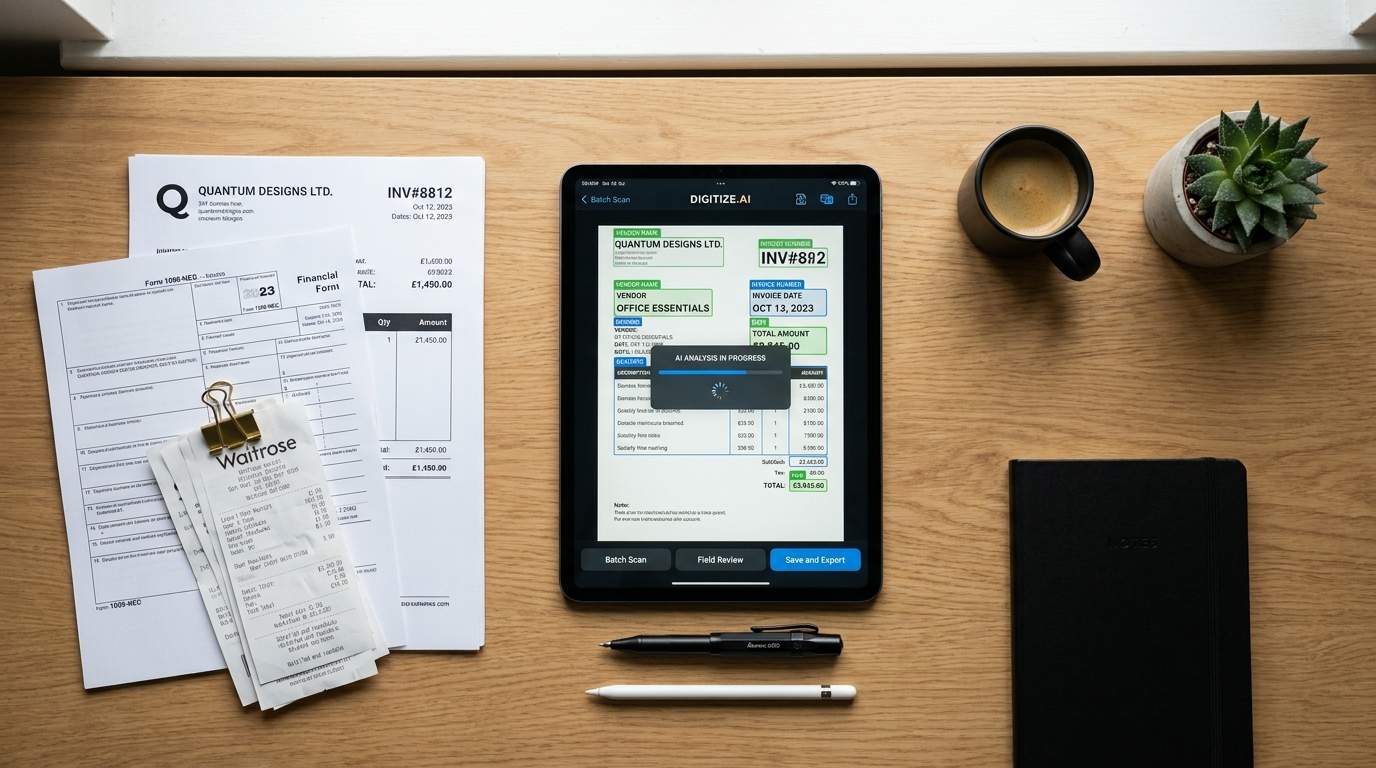
 Multi-Format Document Ingestion Flow
Overview
Modern enterprise workflows receive unstructured incoming data through multiple channels—digital attachments, faxed forms, flat scanner PDFs, and mobile smartphone uploads captured in the field.
- High daily intake of varied document types (Invoices, Tax Forms, IDs, Claims, Receipts).
- Multi-page documents requiring complex table extraction and line-item matching.
- Flexible processing pipeline capable of ingesting both native PDFs and camera image formats (JPG/PNG).
 Problem Example / Scanned & Photo Inconsistencies
Challenge
Traditional rule-based OCR templates crumble when processing documents with shifting layouts, unequal lighting, rotated pages, or camera distortions.
- Unstructured & Shifting Layouts: Vendor invoices and specialized forms lack uniform field positioning.
- Image Degradation & Distortion: Blurry camera photos, skewed angles, and noisy scans degrade baseline recognition.
- Complex Table Structures: Extracting multi-line tabular data across page boundaries often leads to misaligned rows.
- High Cost of Errors: Unvalidated OCR outputs corrupt downstream ERP, CRM, and accounting systems.
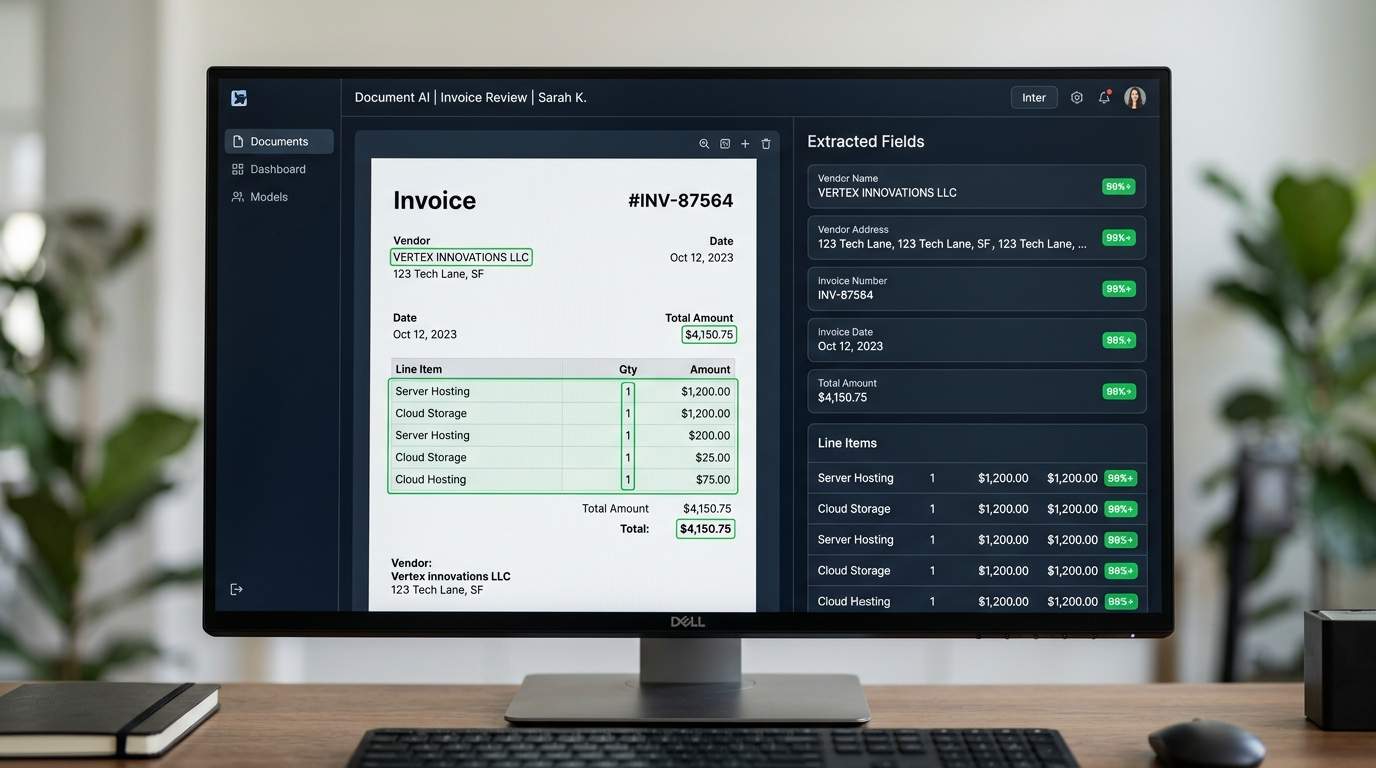 Computer Vision & Parsing Pipeline
Solution
Alluring Infotech built an adaptive, vision-language powered Document AI engine that auto-corrects input imagery and parses fields contextually without needing pre-defined templates.
- Image Pre-Processing Engine: Auto-deskews rotated documents, corrects lighting contrast, and removes background noise.
- Template-Less AI Extraction: Detects key-value pairs, nested fields, and multi-line tables purely from layout context.
- Confidence Scoring Engine: Assigns field-level mathematical probability ($0.00 - 1.00$) to guarantee precision.
- Human-in-the-Loop (HITL) Queue: Automatically routes low-confidence or blurry extractions to an intuitive web interface for rapid user verification.
 Operational Efficiency Results
Impact & Benefits
The enterprise solution turned paper-heavy manual operations into a streamlined, high-speed data pipeline across all target document categories.
- 85% Reduction in Turnaround Time: Forms, invoices, and photo submissions are processed in seconds.
- 99.4% Verified Precision: Automated thresholding guarantees unverified data never reaches target databases.
- 90% Less Manual Effort: Human staff only intervene on flagged exception items.
- Multi-Destination Sync: Automatic extraction to PostgreSQL, REST APIs, JSON, CSV, or structured Excel reports.
From Unstructured Input to Validated JSON
Demonstration of how raw document inputs (PDFs, paper scans, smartphone photos) are converted into structured, validated data.
[ Invoice / Form / Photo Scan Placeholder ]
Detected Type: Financial Form / Vendor Invoice Format: JPG / PNG / PDF Scan (Rotated & Noise Filtered){
"document_type": "Vendor_Invoice_ / Tax_Form",
"entity_name": {
"value": "Acme Enterprise Solutions",
"confidence": 0.99 HIGH
},
"document_id": {
"value": "INV-2026-8891",
"confidence": 0.97 HIGH
},
"grand_total": {
"value": 14250.00,
"confidence": 0.64,
"flagged_for_review": HITL QUEUE
},
"export_status": "Synced to Postgres & Excel"
}Frequently Asked Questions
Yes! Our system includes an automated computer vision pre-processing step that deskews angled snapshots, adjusts contrast, cleans up shadow artifacts, and sharpens low-clarity text before applying OCR engine models.
Instead of relying on rigid bounding-box templates, our solution leverages layout-aware vision AI that understands reading order, spatial geometry, and semantic context to dynamically pair field titles with their corresponding values.
Yes. Depending on your workflow, we build direct integrations into PostgreSQL, MySQL, MongoDB, SAP, ERP systems, or output standardized CSV and multi-tab Excel workbooks.
Absolutely. Containerized (Docker/Kubernetes) pipeline modules can be hosted completely inside your private cloud (AWS, Azure, GCP) or strictly on-premise to maintain total compliance and data privacy.
Need to automate complex document & form extraction?
We build tailored Document AI pipelines that process physical scans, PDFs, and photos with enterprise-grade accuracy.